|
Getting your Trinity Audio player ready...
|
Want to see your book on Amazon? You can do it yourself!
Amazon KDP makes publishing easy. KDP stands for Kindle Direct Publishing. It’s Amazon’s tool for authors like you.
Millions of people buy books on Amazon every day. Your book can be one of them.
This Amazon KDP publishing guide will show you exactly how to do it.
What Is Amazon KDP?
Amazon KDP is a free service. It lets you publish your book on Amazon.
You don’t pay anything upfront. Amazon only takes money when someone buys your book.
Your book can be an eBook, a paperback, or both. You choose.
Best of all, you keep control of your book. You set the price. You own the rights.
What Do You Need Before You Start Publishing?
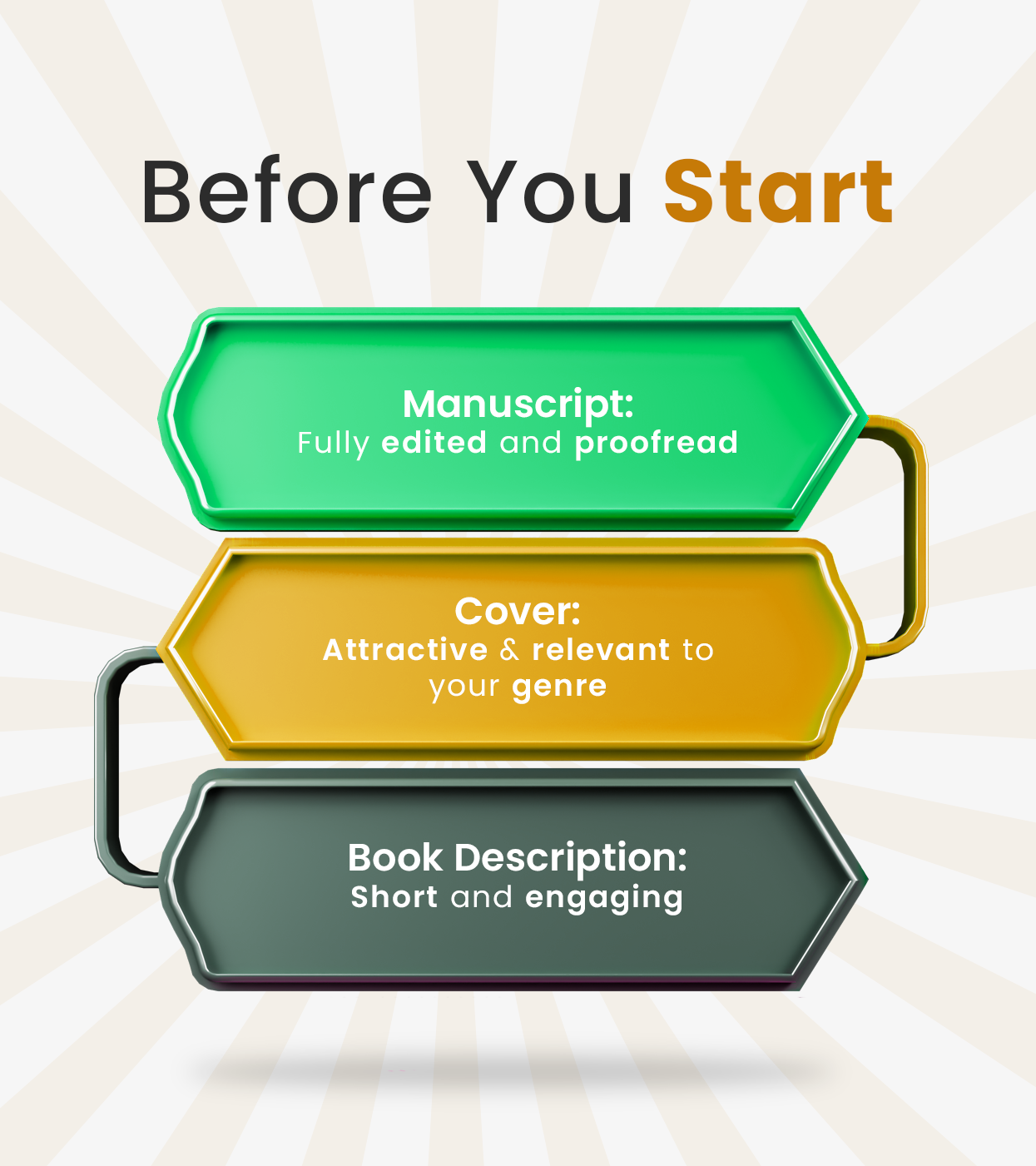
Stop! Don’t rush to upload your book yet.
You need a few things ready first.
Your Manuscript
Your book should be finished. Make sure it’s edited and ready to read.
Check for spelling mistakes. Fix grammar errors. Make sure the story makes sense.
If you need help, consider Kinetic Digital book formatting services to make your manuscript perfect.
Your Cover
People judge books by their covers. It’s true!
Your cover needs to look good. It should match your book type. A scary story needs a scary cover. A romance needs a romantic cover.
You can make your own or hire someone. Good covers help sell books.
Your Book Description
This is like the back cover of a real book. It tells readers what your book is about.
Write something exciting. Make people want to read more.
Keep it short but interesting.
How to Publish a Book on Amazon
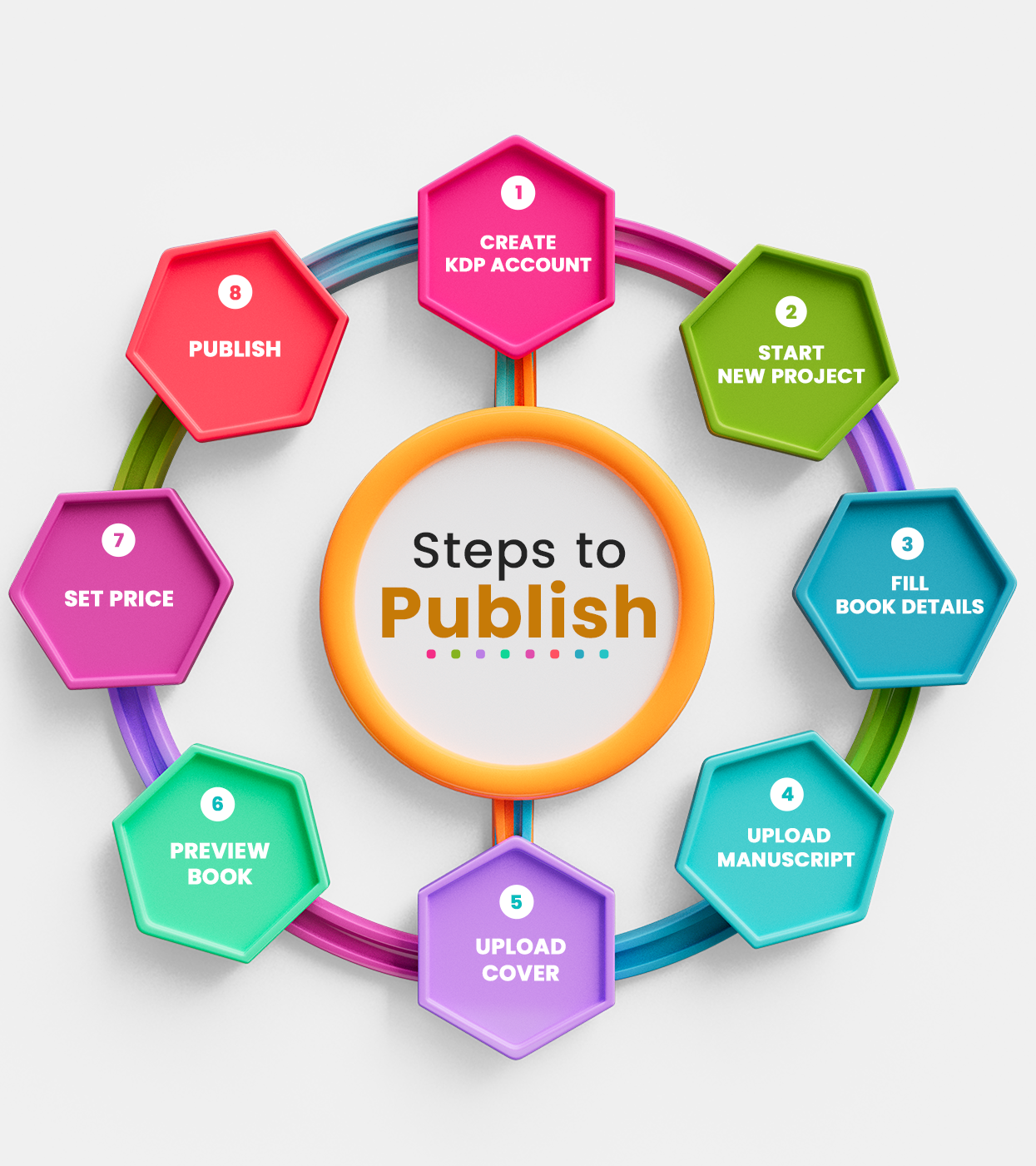
Step 1: Create Your KDP Account
Go to kdp.amazon.com. Click “Sign up.”
You’ll use your regular Amazon account. If you shop on Amazon, you already have one.
Fill in your information. Amazon needs your tax details and how you want to get paid.
Don’t worry. It’s safe. Amazon protects your information.
This takes about 10 minutes.
Step 2: Start a New Book Project
Click “Create New Title” on your KDP dashboard.
Choose ebook, paperback, or both. Most authors do both.
Ebooks are easier to start with. Let’s focus on those first.
Step 3: Fill in Book Details
Amazon needs information about your book.
Book Title
Type your exact book title. Spell it correctly! If you have a subtitle, add it here too.
Author Name
Put your name or pen name. Whatever you want readers to see.
Book Description
Paste the description you wrote earlier. Make it sound exciting.
Categories
Pick categories that fit your book. You can choose two. Think about where readers would look for books like yours.
Keywords
Add seven keywords. These help people find your book. Use words readers might search for. Think like a reader, not a writer.
Step 4: Upload Your Manuscript
This is where your book file goes. Amazon wants your book in a specific format. Usually .doc or .docx works fine.
Click “Upload eBook Manuscript.” Choose your file. Wait for it to upload.
Amazon will convert it. This takes a few minutes.
If you’re worried about formatting, Kinetic Digital book formatting services can help make sure everything looks perfect.
Step 5: Upload Your Cover
Click “Upload Cover.”
Your cover needs to be a certain size. Amazon tells you the exact measurements.
Most covers are JPG or PNG files.
Upload it and wait. Amazon will show you a preview.
Does it look good? Great! Move to the next step.
Step 6: Preview Your Book
Amazon shows you how your book will look.
Check everything carefully. Read a few pages. Look at the cover.
Make sure nothing looks weird or broken.
If something’s wrong, go back and fix it. Don’t rush this part.
Step 7: Set Your Price
How much should your book cost?
Ebooks usually cost between $2.99 and $9.99 in the USA.
Amazon gives you two royalty choices: 35% or 70%.
For 70%, your book must cost at least $2.99. Most authors choose this.
Try different prices. You can always change it later.
Step 8: Publish Your Book
Ready? Click “Publish Your Kindle eBook.”
That’s it! You did it!
Your book goes to Amazon’s review team. They check it follows Amazon’s rules.
This usually takes less than 72 hours. Often it’s much faster.
You can get an email when your book is live.
After Publishing: What Happens Next?
Your book is on Amazon! Congratulations!
But the work isn’t done. Now you need readers.
Tell People About Your Book
Share it on social media. Tell your friends and family. Post about it online. The more people know, the more books you sell.
Get Reviews
Reviews help sell books. Ask readers to leave honest reviews. Don’t buy fake reviews. Amazon doesn’t like that.
Keep Writing
One book is great. More books are better. Keep writing. Each new book helps sell your old books too.
Common Mistakes to Avoid
Many new authors make these mistakes. Don’t be one of them!
- Bad Formatting: If your book looks messy inside, readers won’t finish it. Take time to format properly or hire Kinetic Digital publishing experts to do it right.
- Boring Covers: A plain cover won’t attract readers. Invest in a good design.
- No Marketing: Publishing without marketing means no one finds your book. Plan how you’ll promote it.
- Wrong Categories: Putting your book in wrong categories confuses readers. Choose carefully.
- Giving Up Too Soon: Success takes time. Don’t expect to sell thousands of copies on day one.
When to Hire Publishing Experts?
You can do everything yourself. But sometimes getting help makes sense.
You’re Not Good with Computers
If technology confuses you, experts can handle the technical stuff.
You Want Professional Quality
The best book publishing agency knows how to make books look amazing. They’ve done it hundreds of times.
You’re Too Busy
Writing takes time. So does publishing. If you’re busy, let experts help.
You Want Better Results
Professionals know tricks to make your book more successful. They understand formatting, covers, and marketing.
Our book publishing services include everything from formatting to cover design to Amazon optimization.
Self-Publishing Book Success Tips
- Want your self-publishing book to succeed? Follow these tips.
- Write a Great Book: Quality matters most. Make your book the best it can be.
- Learn Amazon’s Rules: Read Amazon’s guidelines. Follow them exactly.
- Use Keywords Wisely: Good keywords help readers find you.
- Price Competitively: Check what similar books cost. Price yours fairly.
- Keep Learning: The publishing world changes. Stay updated on best practices.
Getting Help When You Need It
Stuck on something? Don’t worry!
Amazon has help pages. They explain everything.
YouTube has free tutorials. Watch videos to learn.
Or contact us for professional guidance. Sometimes asking an expert saves hours of frustration.
Conclusion
Publishing on Amazon KDP isn’t hard. It just takes patience and attention to detail.
Follow this Amazon KDP publishing guide. Take it one step at a time. Don’t rush.
Your self-publishing book journey starts now. Write it. Format it. Publish it.
Readers are waiting for your story. Go share it with them!