|
Getting your Trinity Audio player ready...
|
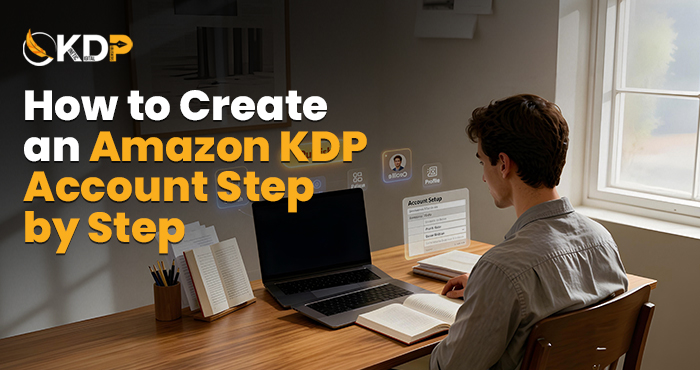
How to Create an Amazon KDP Account Step by Step
You have completed writing your book, or you are close to completing it and are ready for it to be published on Amazon. It’s an exhilarating experience, really.
The first thing that needs to be done is to set up your KDP account. It’s that simple. Before anything else is done, setting up an account takes priority. And believe me, it’s not as complicated as it seems.
Here, in this guide, you will learn everything step-by-step on how to set up your Amazon KDP account right from scratch. No fancy terminologies and no missing steps. The first thing that needs to be done is to create a KDP account so you can publish your book on Amazon.
Here’s the good news: This step-by-step KDP registration guide is specially written as a beginner KDP guide for new authors. Should you find yourself stuck anywhere in the process, rest assured that the team at Kinetic Digital Publishers will be around the corner to help you out.
What is Amazon KDP, and Why Should You Use It?
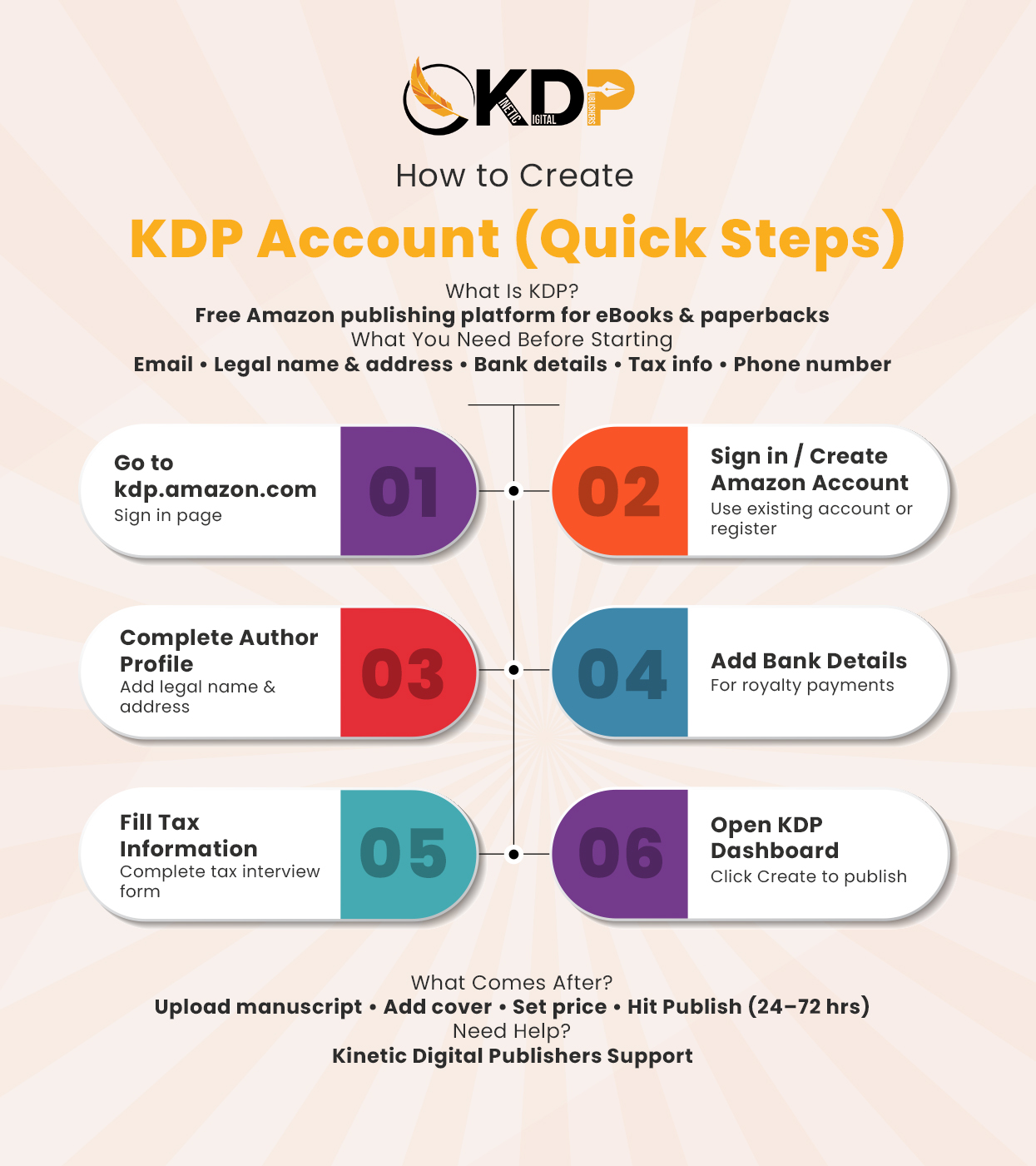
Amazon KDP refers to Kindle Direct Publishing, which is the free-to-use platform that allows authors to sell their literary works as eBooks and print copies.
With Amazon KDP, you retain all creative control of your literary work, making it the best Amazon self publishing account for authors. You determine the pricing, receive royalties directly from sales made, and distribute your book across the largest online bookstore, Amazon.
There is zero initial investment required. No waiting for a publisher to approve publication. No losing your copyright. For any author wanting to disseminate their work worldwide, setting up an Amazon KDP account is an excellent idea.
A Kindle Direct Publishing account allows authors to publish eBooks and paperbacks without any traditional publisher.
Prior to Creating Your KDP Account – Get These Prepared
There is very little required to create your Amazon KDP account. However, preparing certain documents beforehand will ensure you navigate the account creation process more efficiently.
- Active email account
- Legal name and address
- Bank details for royalty payment processing
- Tax identification number (Social Security Number or Employer Identification Number, if in the US)
- Telephone number for verification
And that is it.
Step 1: Access the KDP Website
Let’s understand how to open KDP account from scratch.
Launch your internet browser and navigate to kdp.amazon.com. The KDP website has a clean homepage, and all that you require is the click on the Sign in button, which appears near the top of the page.
In case you have an existing Amazon account for shopping or other purposes, then it is unnecessary to create another email address. Simply use the same credentials and log into your KDP dashboard. This is the first step of your Amazon KDP account setup process.
Step 2: Sign In or Create a New Account
Once you reach the website, tap on the Sign in button. If you have an existing Amazon account, simply enter your details and log into your KDP account.
Alternatively, in case you do not have an Amazon account, click on the option to create an account. Provide your name, email address, and set up a password. Amazon will then send you an email to verify your account. Click on the confirmation link provided and you are done. This completes your KDP login setup process.
Step 3: Setup Your KDP Author Profile
After logging in, Amazon will ask you to fill out your KDP author profile, including your name and mailing address.
Your legal name must be entered as that is how Amazon will pay you any royalties earned from book sales. You can use a pen name for publication after the fact if you wish, but you need to enter your true name here first. Double check all information before proceeding. A minor error at this point can create problems in getting paid.
Step 4: Connect your bank account to receive royalties
This step is crucial. If your payment information is not in order, there will be no way for Amazon to send money when you sell books.
Navigate to the Payment tab within your KDP account. Enter your bank account number and routing number. Amazon uses direct deposit to pay you every month, which is simple, quick and secure.
Non-US residents needn’t fret as bank accounts from virtually any country worldwide can be connected
Step 5: Entering Your Tax Details
Amazon legally requires publishers to submit their tax information details. If skipped, it will affect the percentage of your earnings that you can claim.
Go to Tax Information section. Amazon will ask you simple questions through an interview style form. For most US-based writers, it only requires entering Social Security Number or EIN. It is also user-friendly because it instructs you what to put in.
Afterwards, you now have completed setting up of your KDP self-publishing site on Amazon.
Step 6: Exploring Your Dashboard
With everything already entered on your account, it’s time for you to familiarize yourself with your dashboard where you will be publishing books, tracking your sales, royalties and more.
At the center of your KDP dashboard, you will see a “Create” button. Here is where your journey starts in uploading your first book to Amazon. Just ensure that you prepare yourself well before doing this by preparing your manuscript for a good appearance when published. Time to Make It Look Great Your Cover and Manuscript Count
Now Make It Look Good Your Cover and Manuscript Matter
Signing up for an Amazon KDP login page is only the tip of the iceberg. After your account has been set up, the hard work begins.
Your book cover is what catches the attention of your audience first. In a sense, the cover determines if your book will be viewed or overlooked by potential buyers. If your book cover is pixelated or poorly designed, it will affect your book’s sales, regardless of how well-written the content may be. Make sure your book cover is professionally made and will make viewers pause mid-scroll.
Even after your book becomes available online, the work does not end there. To get your book out there, you need to create a promotion plan.
If you find that your manuscript isn’t yet perfect, you could consider having an expert edit your manuscript to make it ready for Amazon publication.
A Little Thing That Can Make a Big Difference
Now here’s a mistake that I’ve seen many new writers make, usually right before they try to edit it. There are plenty of inexperienced writers that upload a manuscript believing that it’s perfect only to face criticism for the errors in it.
The great news is that you don’t need to identify all of those mistakes on your own. After all, you’ve been staring at your own work for so long now that your mind will begin to read things that aren’t even there. That’s perfectly fine but it means that new eyes are necessary.
Having your book edited professionally before uploading it can be among the smartest choices you can make. This isn’t because you don’t trust your writing it’s simply because it gives your work the best possible chance at success. A polished manuscript beats a sloppy one every time.
What Happens Next When You’ve Created Your KDP Account?
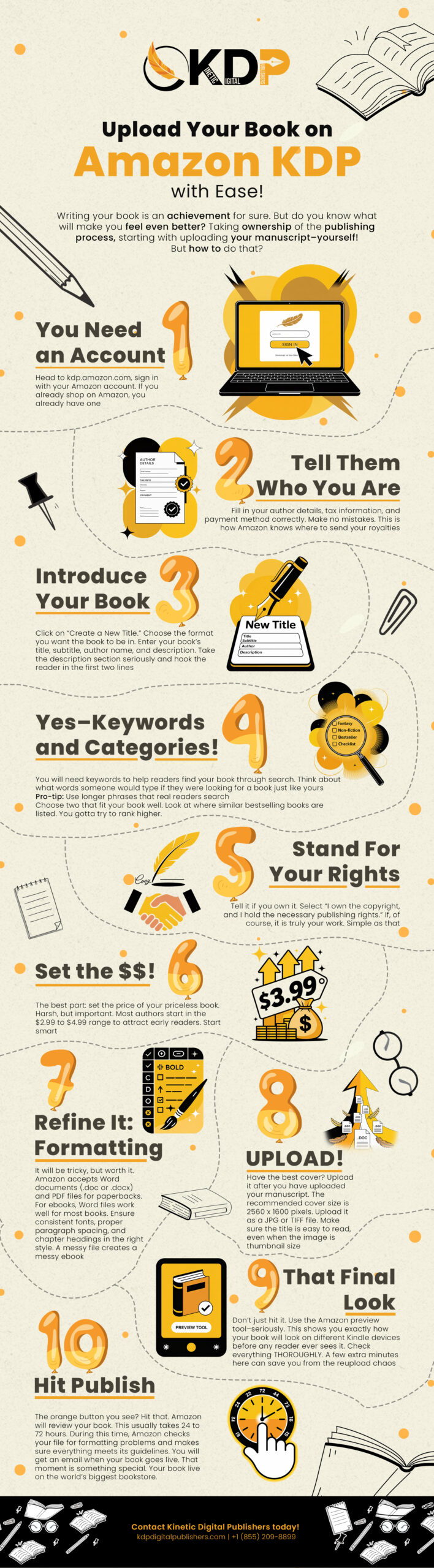
After creating your account, you will be able to publish your work. Simply click on Create in your dashboard and select the type of book format: eBook, paperback, or both.
Then enter all the required details about your book such as title, description, keywords, categories, and upload the manuscript along with your cover image, set the price and royalty rate for your book and finally click on Publish. Amazon checks and publishes your book within 24 to 72 hours.
If you wish to have an expert guide you through the entire process from start to finish, consider our professional book publishing services.
Conclusion
This beginner KDP guide shows that it is very easy to create KDP account and start publishing on Amazon. All you need to do is visit kdp.amazon.com, log in or create a new account, enter your information, connect your bank account, and fill out your tax information. There you have it – a quick introduction to KDP for beginners.
What is tricky is not opening a KDP account but deciding on the right next move, and that’s precisely where the expertise of Kinetic Digital Publishers publishing services comes into play. From editing and cover design to formatting and marketing, we’ll ensure your manuscript finds its rightful place among avid readers.
Your novel is ready. Now let’s publish it!
FAQs Create KDP Account
Is it free to create a KDP account?
Yes, completely free. There’s no sign-up fee, no monthly cost, and no hidden charges. You only earn Amazon takes a percentage only when a book sells.
Can I use my regular Amazon account to create a KDP account?
Yes. If you already shop on Amazon, just log in with the same email on kdp.amazon.com. Your accounts are linked automatically.
How long does amazon kdp account setup take?
Usually 10 to 15 minutes if you have your bank and tax details ready. The form is simple and guided.
Do I need a business to open a kindle direct publishing account?
No. You can sign up as an individual. You just need your personal tax ID and bank details to receive payments.
What if I need help after I create my KDP account?
You can always get help to create KDP account from our team at Kinetic Digital Publishers. We guide authors through every step of the process.